
CCTV camera technologies play an important role in fulfilling the surveillance needs of users in the present environment context. The surveillance camera has become an essential and common need to continuously monitor personal belongings and activities, whether at home or workplace.
With the growing use of surveillance technologies, privacy issues are also a serious concern for users. It has been a serious issue since unauthorized users or intruders can access the data, misuse the data, and be involved in unauthorized monitoring. To tackle the issue, privacy mode in CCTV cameras is introduced to stay secure without compromising privacy.
This blog explains the key information related to CCTV privacy mode, its benefits, and details regarding the cameras that support the Privacy mode. Also, you can get information regarding the ways to enable privacy mode in the camera and gain insight into choosing the best camera that is ideal for you.
What Is CCTV Privacy Mode?

CCTV privacy mode is the feature of a surveillance camera system that enables the user to temporarily disable the camera’s live audio and video recording function. By using this feature, users can disable CCTV monitoring and recording when they require privacy. This feature also restricts unwanted users from previewing the live recordings of the camera when enabled.
The innovative privacy feature is integrated into many modern CCTV cameras adapting technological enhancement. Using this feature, users can monitor their home or workplace while protecting privacy when required. Such features are user-friendly as they can be activated remotely by using a dedicated application.
Benefits of Privacy Mode In CCTV Camera
The innovative privacy mode feature in CCTV cameras holds several benefits for the user. It protects the user’s privacy and helps them to restrict intruders from unauthorized access and intrusion of privacy. Furthermore, the additional benefits of privacy mode in CCTV cameras are mentioned below:
Protecting Personal Privacy
One of the key benefits of privacy mode in CCTV cameras is the protection of privacy. Using cameras compatible with the privacy mode technology, users can remotely turn on the privacy feature whenever they require it. While the privacy feature is activated, the CCTV camera systems temporarily disable live video and data transferring features, making intruders or unwanted users unable to view the recordings. Cameras with privacy mode enable users to fulfill their surveillance while also allowing them to maintain privacy.
Remote Activation Without Physical Intervention
The privacy mode can be activated remotely without the need for physical intervention. It helps the user to toggle privacy mode as per their need and requirements. Using a dedicated application and internet connection, one can ensure the privacy and protection of sensitive data in one click. This feature can be beneficial when:
- You are far from the surveillance site and are required to pause live streaming or recordings temporarily.
- When you are conducting confidential meetings and discussions
- Stopping unwanted users or intruders from accessing and monitoring the surveillance system.
Temporarily Disabling Surveillance
Occasionally, the need for temporary disabling of the surveillance system may be required. To protect privacy during sensitive circumstances and scenarios, privacy mode can be helpful to the user. In the event of unauthorized access from intruders to the surveillance system, users can turn the privacy mode to disable the live streaming to prevent intrusion. Also, privacy mode can allow employees or visitors to perform their activities, maintaining their privacy in an office or home setting.
Enhanced Trust and Compliance
Enabling privacy mode enhances trust and compliance. When visitors and employees realize they are not under surveillance all the time, it makes them feel more respected and valued. Additionally, it helps in complying with privacy policies and regulations in sensitive areas such as conference rooms, lodgings, and hospitals.
Reduces Unnecessary Storage Consumption
Enabling privacy mode also helps in reducing unnecessary storage consumption. It helps in saving storage and reduces unnecessary storage consumption by:
- Saving storage by disabling recording while surveillance is not required.
- By recording only when required, it saves storage space
- Saves cloud backup costs and storage
Best CCTV Cameras with Privacy Mode support

As CCTV privacy mode offers various benefits to its users, buying one that includes the feature can be ideal for fulfilling surveillance needs. Below are the lists of innovative CCTV cameras that are incorporated with modern features, including privacy modes:
- F7-Netra Indoor PT Wi-Fi CCTV Camera
- T5P-Ratri Bullet Outdoor Wi-Fi CCTV Camera
- Y1-Ratri Dome Indoor Wi-Fi CCTV Camera
- CCTV Netra V6Z Camera
- CCTV Netra S8 Camera
- Ratri G11 CCTV Camera
The cameras listed above from Night Vision can be ideal for you as you get privacy mode along with clear night vision, Wi-Fi connectivity and mobile app control.
Also Read
Instant Alerts: Push Notification Features In Modern CCTV Systems
Discover ONVIF Compatible Cameras | Night Vision’s Easy Integration
How To Enable Privacy Mode In Night Vision CCTV Cameras
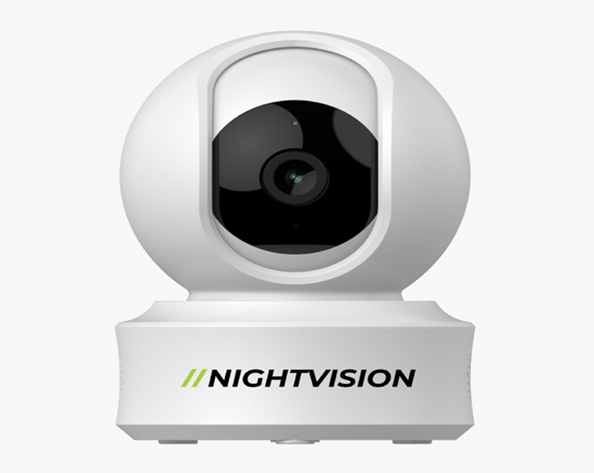
You can enable privacy mode in Night Vision CCTV cameras by following the steps below:
- Install the Smart Life application on your Android, iOS, or Windows device
- Ensure you are connected to the same network as your Night Vision camera.
- Select the camera you want to manage from the list of devices.
- Go to camera settings
- Search for “Privacy Mode Icon “
- Toggle privacy mode On.
Conclusion
CCTV privacy mode is a practical innovation that has played a key role in enhancing security without compromising privacy. In the present surveillance context, unauthorized attempts to surveillance system data and footage have become a major concern. Privacy modes in the CCTV camera have played a key role in addressing such concerns by temporarily restricting the live streaming on the user’s command.
Whether you are within the surveillance site or far from there, you can easily toggle privacy mode remotely. Using the innovative feature benefits by protecting your privacy through temporarily disabling surveillance, increasing trust and compliance, and reducing unnecessary storage consumption.
This blog explains what CCTV privacy mode is, its benefits, and information about cameras that support privacy mode. Also, the steps to toggle privacy mode in the security camera app are provided. If you are looking for the best CCTV camera with Privacy mode, visit Night Vision, a premier manufacturer of innovative Night Vision surveillance technology in Nepal.
FAQ CCTV Privacy Mode Explained: Stay Secure Without Compromising Privacy
How do I turn off Privacy Mode on my Night vision CCTV camera?
You can turn off privacy mode on your Night Vision CCTV camera by using the Smart Life application. You can follow the following procedure to turn privacy mode off:
- Open the Smart Life application
- Select the camera you want to manage from the list of devices.
- Go to camera settings
- Search for “Privacy Mode Icon “
- Toggle privacy mode off.
What is the use of privacy settings?
The privacy setting allows users to manage and control the camera. It enables toggling privacy modes in the camera to restrict personal moments, pause surveillance land ive streaming, and minimize idle recording.
When the light is off, is the CCTV camera working or not?
If the light of your CCTV camera is off, it might be in privacy mode, standby mode, or shut down. Some cameras with silent recording mode may record even when their LED light is off. To ensure that your camera is working or not, check the camera application for its operation information, including its live feed, privacy mode status, stand mode status, and silent recording mode.
